Aaron M. Wright

302-70 Dyrgas Gate

Canmore, Alberta T1W 3J6

+1-647-746-9426aaron@aaronwright.ca

Resume PDF

Sections

SECTION 01

About Me

I’ve been building things for the web since the summer after seventh grade, when I found Microsoft FrontPage installed on our family computer and eventually figured out that it was not, in fact, just a stranger version of Word.

The first time I clicked “Publish” and saw my ridiculous homepage appear on the actual internet—where, theoretically, anyone could see it—I was hooked. That feedback loop has never really stopped working on me: make something, put it in front of people, see what happens, then make it better.

Over the following 25 years, I’ve moved back and forth between product design and frontend development, usually ending up somewhere in the middle. I’ve designed products, built design systems and shared frontend foundations, improved workflows, taught interaction design, mentored designers and engineers, and spent an unreasonable amount of time removing friction that other people had apparently learned to live with.

More recently, AI has made building feel new again. I use it throughout my toolchain to explore ideas, prototype, write code, and avoid personally implementing the same forms, validation, and other assorted plumbing for the hundredth time. I still need to understand and direct the work; I just get to spend more of my time on the parts that require judgment.

And increasingly, that’s how I want to spend my time in general: helping other people do excellent work. Running critiques. Teaching and demonstrating. Building better systems and practices. Making design and engineering work better together. Raising the bar while making the work clearer, easier, and more satisfying.

I still like making things—and have a small stable of pet projects to prove it—but I’m most interested now in helping build the teams, tools, and conditions that let other people make great things too.
Coming soon

SECTION 01

About Me

I’ve been building things for the web since the summer after seventh grade, when I found Microsoft FrontPage installed on our family computer and eventually figured out that it was not, in fact, just a stranger version of Word.

The first time I clicked “Publish” and saw my ridiculous homepage appear on the actual internet—where, theoretically, anyone could see it—I was hooked. That feedback loop has never really stopped working on me: make something, put it in front of people, see what happens, then make it better.

Over the following 25 years, I’ve moved back and forth between product design and frontend development, usually ending up somewhere in the middle. I’ve designed products, built design systems and shared frontend foundations, improved workflows, taught interaction design, mentored designers and engineers, and spent an unreasonable amount of time removing friction that other people had apparently learned to live with.

More recently, AI has made building feel new again. I use it throughout my toolchain to explore ideas, prototype, write code, and avoid personally implementing the same forms, validation, and other assorted plumbing for the hundredth time. I still need to understand and direct the work; I just get to spend more of my time on the parts that require judgment.

And increasingly, that’s how I want to spend my time in general: helping other people do excellent work. Running critiques. Teaching and demonstrating. Building better systems and practices. Making design and engineering work better together. Raising the bar while making the work clearer, easier, and more satisfying.

I still like making things—and have a small stable of pet projects to prove it—but I’m most interested now in helping build the teams, tools, and conditions that let other people make great things too.
SECTION 01

About Me

I’ve been building things for the web since the summer after seventh grade, when I found Microsoft FrontPage installed on our family computer and eventually figured out that it was not, in fact, just a stranger version of Word.

The first time I clicked “Publish” and saw my ridiculous homepage appear on the actual internet—where, theoretically, anyone could see it—I was hooked. That feedback loop has never really stopped working on me: make something, put it in front of people, see what happens, then make it better.

Over the following 25 years, I’ve moved back and forth between product design and frontend development, usually ending up somewhere in the middle. I’ve designed products, built design systems and shared frontend foundations, improved workflows, taught interaction design, mentored designers and engineers, and spent an unreasonable amount of time removing friction that other people had apparently learned to live with.

More recently, AI has made building feel new again. I use it throughout my toolchain to explore ideas, prototype, write code, and avoid personally implementing the same forms, validation, and other assorted plumbing for the hundredth time. I still need to understand and direct the work; I just get to spend more of my time on the parts that require judgment.

And increasingly, that’s how I want to spend my time in general: helping other people do excellent work. Running critiques. Teaching and demonstrating. Building better systems and practices. Making design and engineering work better together. Raising the bar while making the work clearer, easier, and more satisfying.

I still like making things—and have a small stable of pet projects to prove it—but I’m most interested now in helping build the teams, tools, and conditions that let other people make great things too.
SECTION 02

Informal Systems

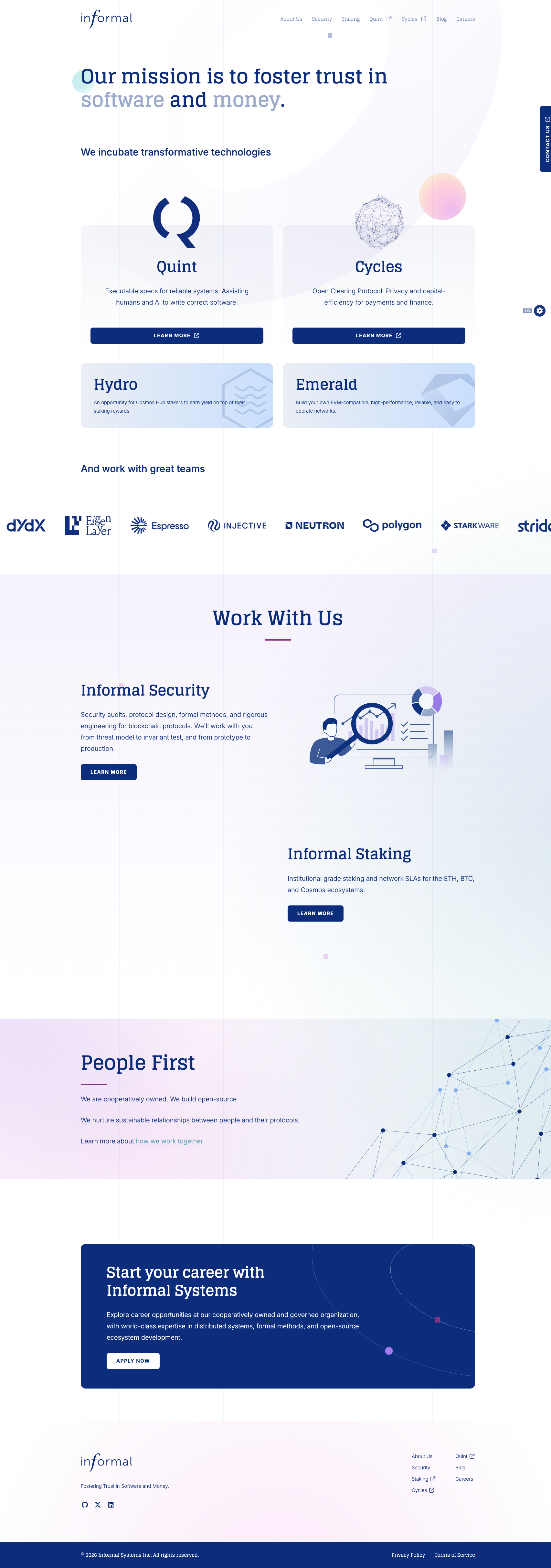
Informal was a freelance customer of mine when their needs grew into a full-time role for me as their sole UX/UI developer. I got to wear the hats of researcher, designer, developer, internal tool builder, and more. One of my earliest contributions serves as a good example of what I brought:

The website I'd built was a simple Next.js app and lived as code on GitHub and as a hosted app on Netlify. Making a copy change was just another task for me, but a bit of a steep hill to climb for someone just looking to fix a typo on a blog post. Time to hire a CMS.

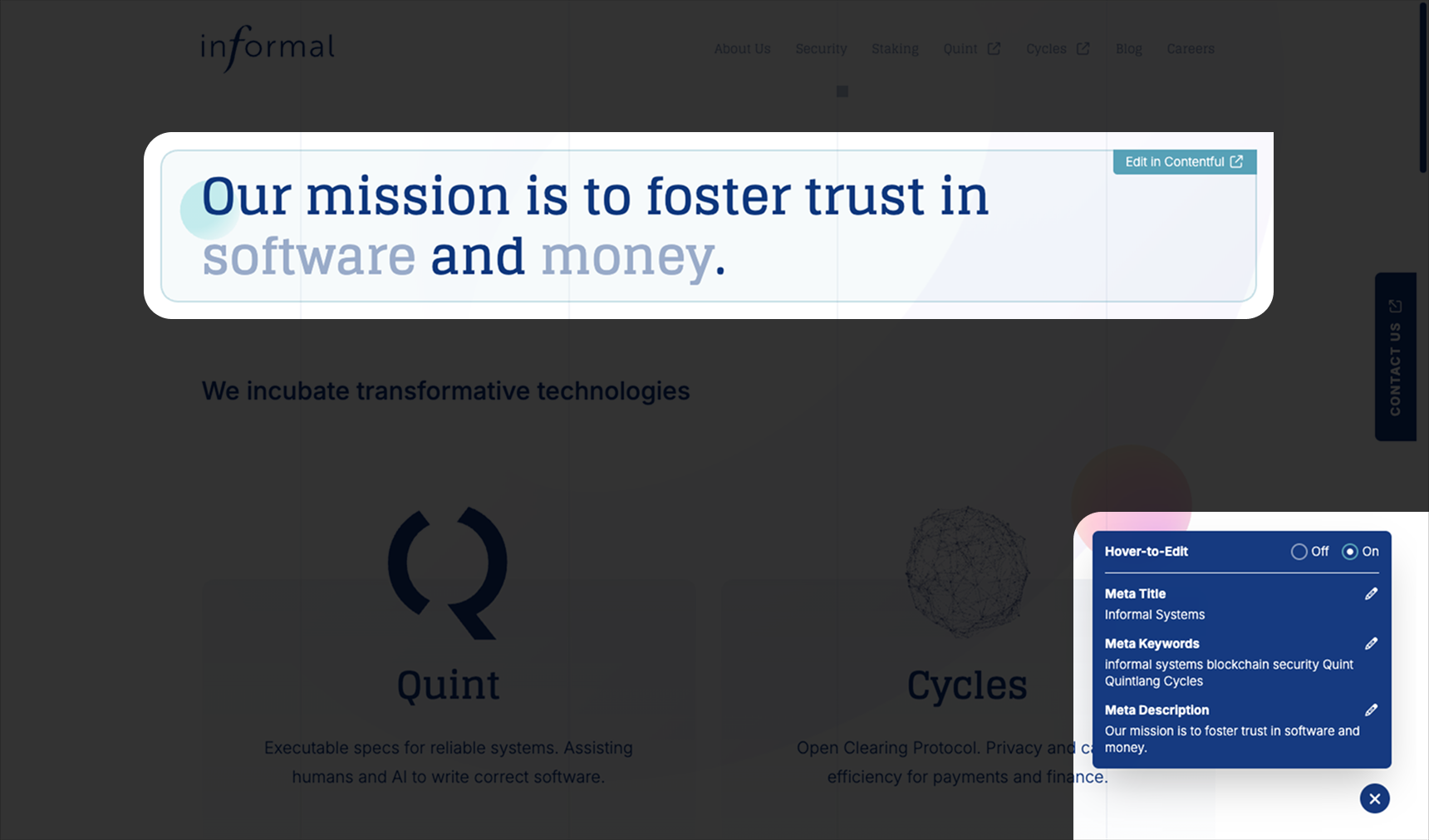
I chose Contentful for its headlessness and built a lightweight editing workflow around it. The trick was giving teams the freedom to update their own content without giving them enough freedom to accidentally, shall we say, redesign the site.

The staging version of the site pulls its content from Contentful, but includes content marked as draft whereas production only shows published content. My solution took the following shape:

One Contentful Object to Rule Them All...

In Contentful, everything is in the shape of a single, consistent object that I dubbed, spot_copy_entry.

  • path: A required, unique, human-readable ID for this chunk of content.

  • body: Optional. It holds special Rich Text content which arrives as bare HTML.

  • media: Optional. This field renders as a "picker" in Contentful, affording users the ability to attach one or more images.

  • json: Optional. An escape hatch for content that doesn't fit the mould. Typically holds simple arrays or objects, often just references to other spot_copy_entry paths.

One Query to Bring Them All...

The websites that consume Contentful content need only make a single request, constructed at request time based on the route's needs. This fetches the copy and images (only the paths, not the data) for the request and makes it available to the page via React Context.

And in the React Component layer, Bind Them

Finally, I built a ContentfulSpotCopy component which accepts a path and a render prop that receives the fields for the given chunk of copy. From there, I can do whatever I want! Build a carousel from the images, style the body however I want, etc. The writers own the content while I own the design 👌

Coming soon

SECTION 02

Informal Systems

Informal was a freelance customer of mine when their needs grew into a full-time role for me as their sole UX/UI developer. I got to wear the hats of researcher, designer, developer, internal tool builder, and more. One of my earliest contributions serves as a good example of what I brought:

The website I'd built was a simple Next.js app and lived as code on GitHub and as a hosted app on Netlify. Making a copy change was just another task for me, but a bit of a steep hill to climb for someone just looking to fix a typo on a blog post. Time to hire a CMS.

I chose Contentful for its headlessness and built a lightweight editing workflow around it. The trick was giving teams the freedom to update their own content without giving them enough freedom to accidentally, shall we say, redesign the site.

The staging version of the site pulls its content from Contentful, but includes content marked as draft whereas production only shows published content. My solution took the following shape:

One Contentful Object to Rule Them All...

In Contentful, everything is in the shape of a single, consistent object that I dubbed, spot_copy_entry.

  • path: A required, unique, human-readable ID for this chunk of content.

  • body: Optional. It holds special Rich Text content which arrives as bare HTML.

  • media: Optional. This field renders as a "picker" in Contentful, affording users the ability to attach one or more images.

  • json: Optional. An escape hatch for content that doesn't fit the mould. Typically holds simple arrays or objects, often just references to other spot_copy_entry paths.

One Query to Bring Them All...

The websites that consume Contentful content need only make a single request, constructed at request time based on the route's needs. This fetches the copy and images (only the paths, not the data) for the request and makes it available to the page via React Context.

And in the React Component layer, Bind Them

Finally, I built a ContentfulSpotCopy component which accepts a path and a render prop that receives the fields for the given chunk of copy. From there, I can do whatever I want! Build a carousel from the images, style the body however I want, etc. The writers own the content while I own the design 👌

1 of 3: Homepage Overview

SECTION 02

Informal Systems

Informal was a freelance customer of mine when their needs grew into a full-time role for me as their sole UX/UI developer. I got to wear the hats of researcher, designer, developer, internal tool builder, and more. One of my earliest contributions serves as a good example of what I brought:

The website I'd built was a simple Next.js app and lived as code on GitHub and as a hosted app on Netlify. Making a copy change was just another task for me, but a bit of a steep hill to climb for someone just looking to fix a typo on a blog post. Time to hire a CMS.

I chose Contentful for its headlessness and built a lightweight editing workflow around it. The trick was giving teams the freedom to update their own content without giving them enough freedom to accidentally, shall we say, redesign the site.

The staging version of the site pulls its content from Contentful, but includes content marked as draft whereas production only shows published content. My solution took the following shape:

One Contentful Object to Rule Them All...

In Contentful, everything is in the shape of a single, consistent object that I dubbed, spot_copy_entry.

  • path: A required, unique, human-readable ID for this chunk of content.

  • body: Optional. It holds special Rich Text content which arrives as bare HTML.

  • media: Optional. This field renders as a "picker" in Contentful, affording users the ability to attach one or more images.

  • json: Optional. An escape hatch for content that doesn't fit the mould. Typically holds simple arrays or objects, often just references to other spot_copy_entry paths.

One Query to Bring Them All...

The websites that consume Contentful content need only make a single request, constructed at request time based on the route's needs. This fetches the copy and images (only the paths, not the data) for the request and makes it available to the page via React Context.

And in the React Component layer, Bind Them

Finally, I built a ContentfulSpotCopy component which accepts a path and a render prop that receives the fields for the given chunk of copy. From there, I can do whatever I want! Build a carousel from the images, style the body however I want, etc. The writers own the content while I own the design 👌

2 of 3: Hover-to-Edit

SECTION 02

Informal Systems

Informal was a freelance customer of mine when their needs grew into a full-time role for me as their sole UX/UI developer. I got to wear the hats of researcher, designer, developer, internal tool builder, and more. One of my earliest contributions serves as a good example of what I brought:

The website I'd built was a simple Next.js app and lived as code on GitHub and as a hosted app on Netlify. Making a copy change was just another task for me, but a bit of a steep hill to climb for someone just looking to fix a typo on a blog post. Time to hire a CMS.

I chose Contentful for its headlessness and built a lightweight editing workflow around it. The trick was giving teams the freedom to update their own content without giving them enough freedom to accidentally, shall we say, redesign the site.

The staging version of the site pulls its content from Contentful, but includes content marked as draft whereas production only shows published content. My solution took the following shape:

One Contentful Object to Rule Them All...

In Contentful, everything is in the shape of a single, consistent object that I dubbed, spot_copy_entry.

  • path: A required, unique, human-readable ID for this chunk of content.

  • body: Optional. It holds special Rich Text content which arrives as bare HTML.

  • media: Optional. This field renders as a "picker" in Contentful, affording users the ability to attach one or more images.

  • json: Optional. An escape hatch for content that doesn't fit the mould. Typically holds simple arrays or objects, often just references to other spot_copy_entry paths.

One Query to Bring Them All...

The websites that consume Contentful content need only make a single request, constructed at request time based on the route's needs. This fetches the copy and images (only the paths, not the data) for the request and makes it available to the page via React Context.

And in the React Component layer, Bind Them

Finally, I built a ContentfulSpotCopy component which accepts a path and a render prop that receives the fields for the given chunk of copy. From there, I can do whatever I want! Build a carousel from the images, style the body however I want, etc. The writers own the content while I own the design 👌

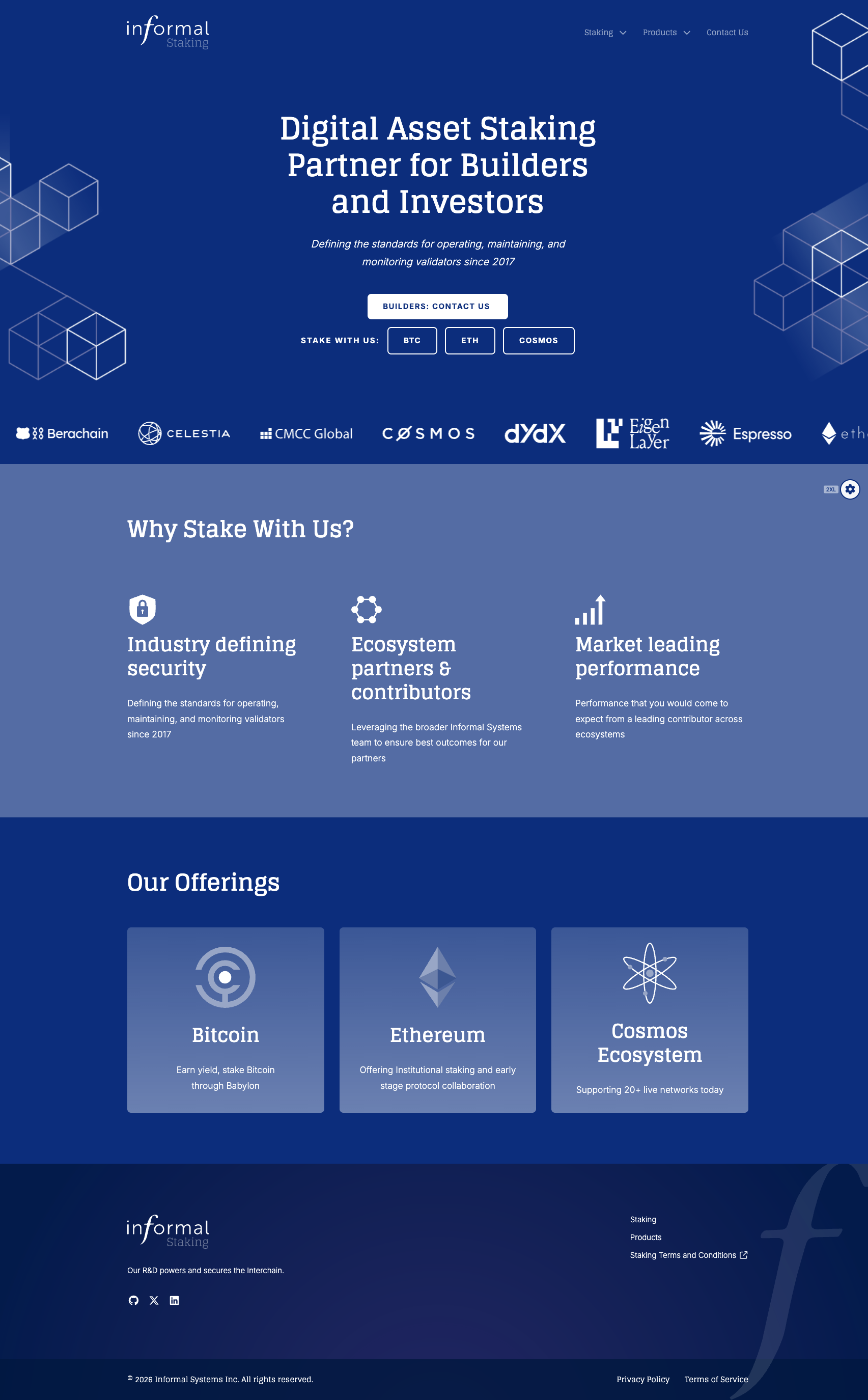
3 of 3: Informal Staking

SECTION 03

Aaron's Toolbox

I'm infatuated with Figma both as a user and as a developer building on their platform. I'm equally obsessed with the art and science of tool-building, so the match is cosmically perfect.


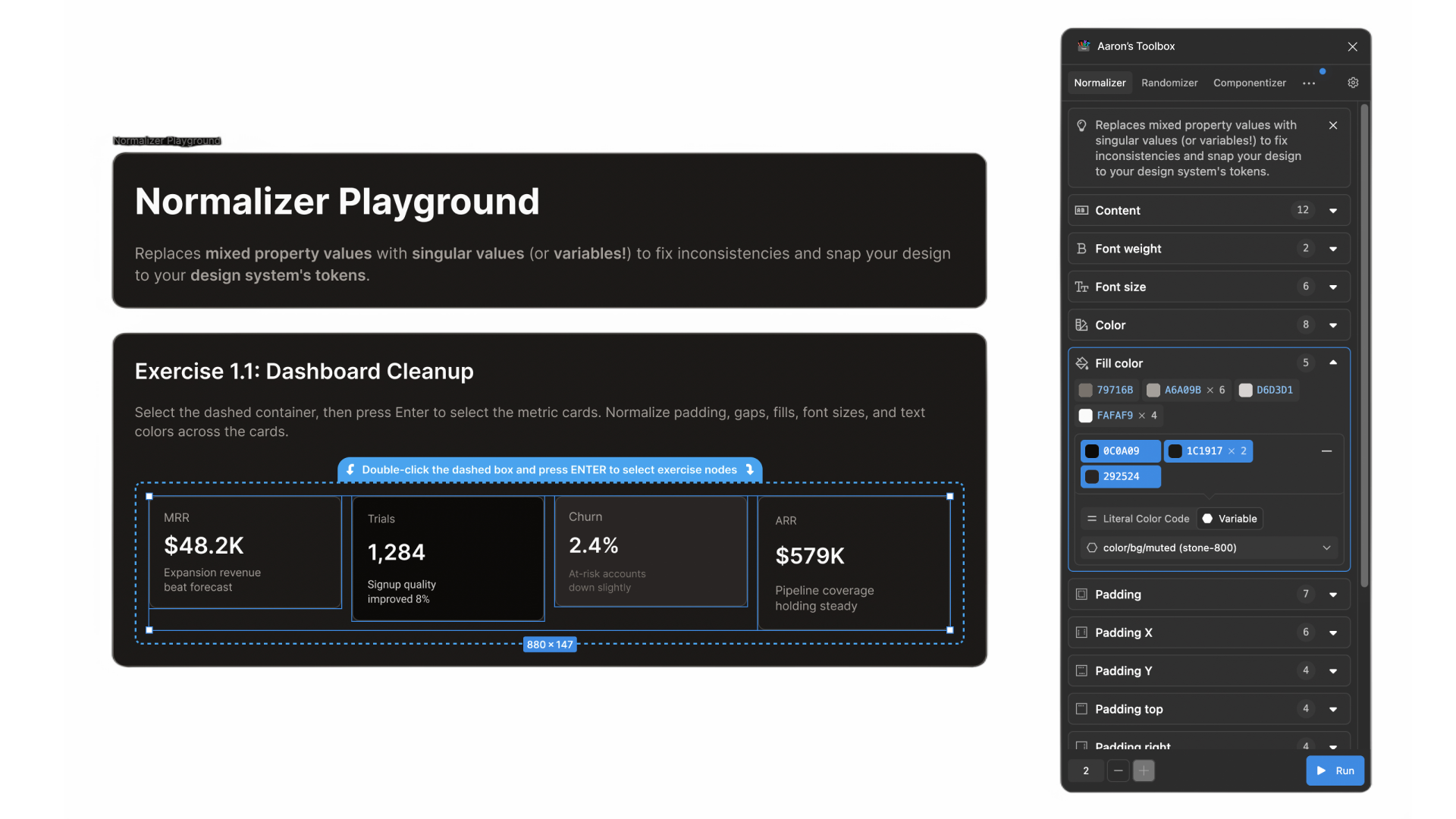
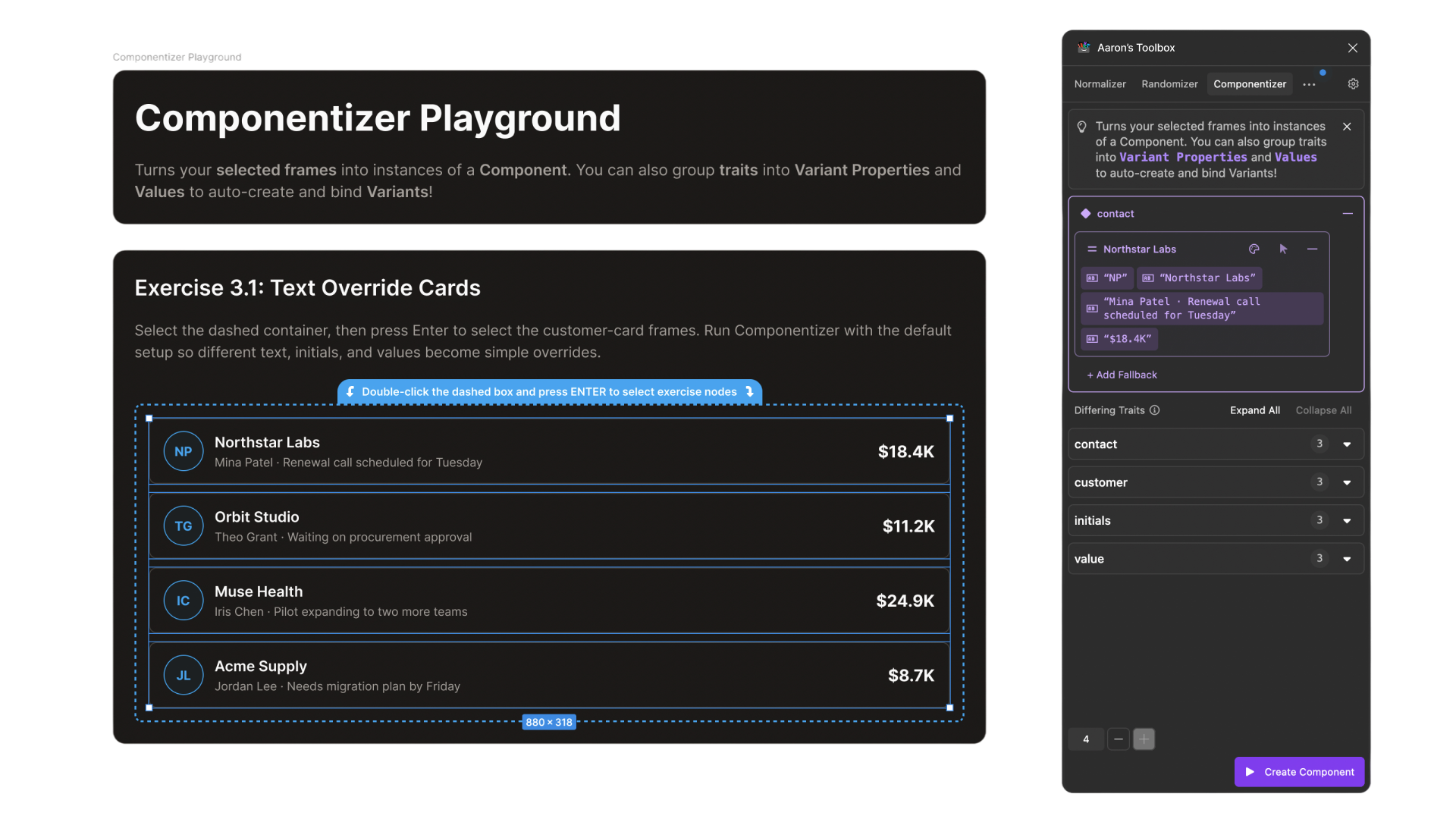
Aaron's Toolbox is a collection of utilities I've built to solve problems I repeatedly encounter in my own design work. Some automate repetitive tasks, others simplify common workflows, and two are actually evolutions of plugins I'd already built and refined over years of use (both with tens of thousands of users in the Figma Community).

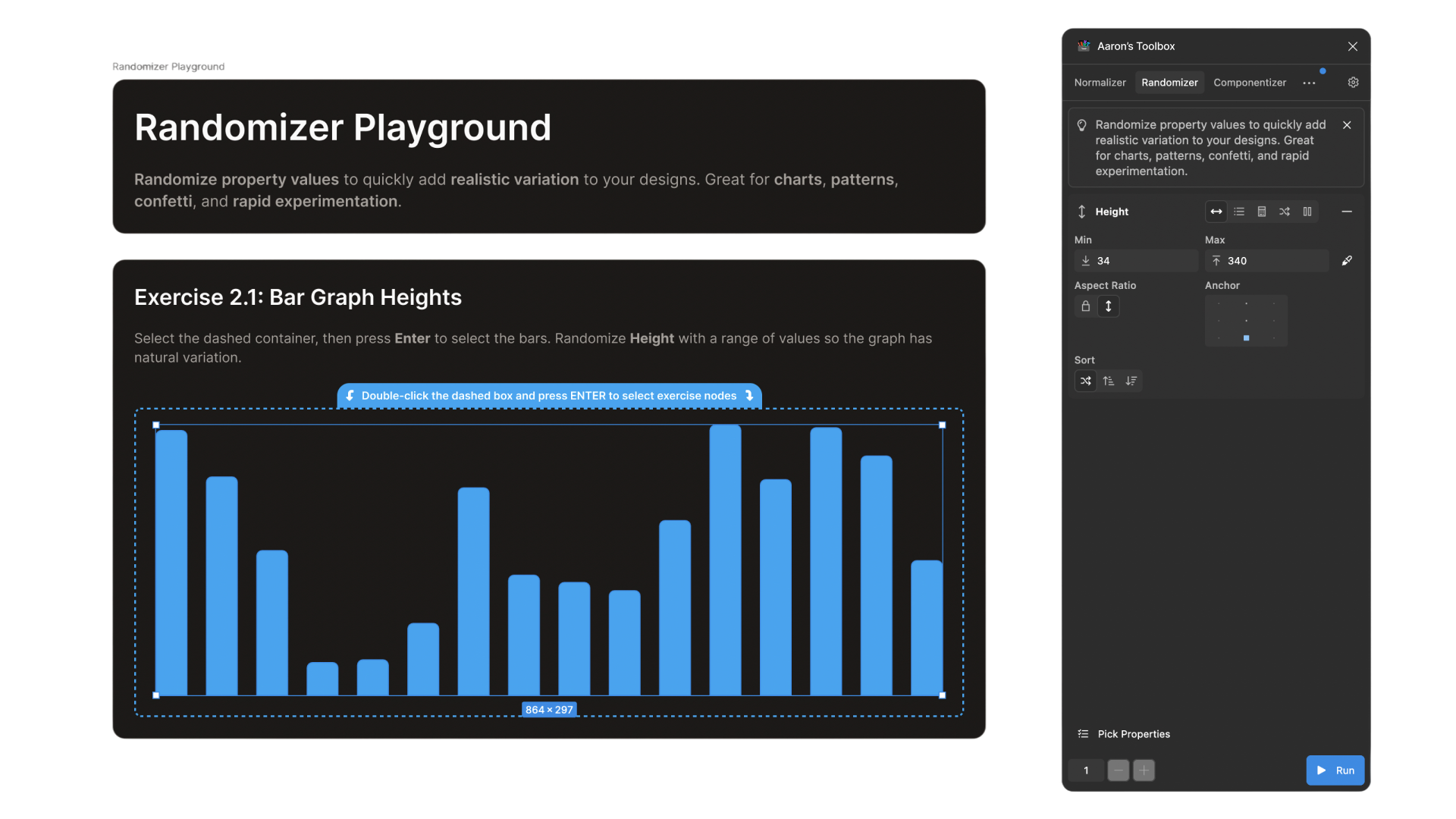
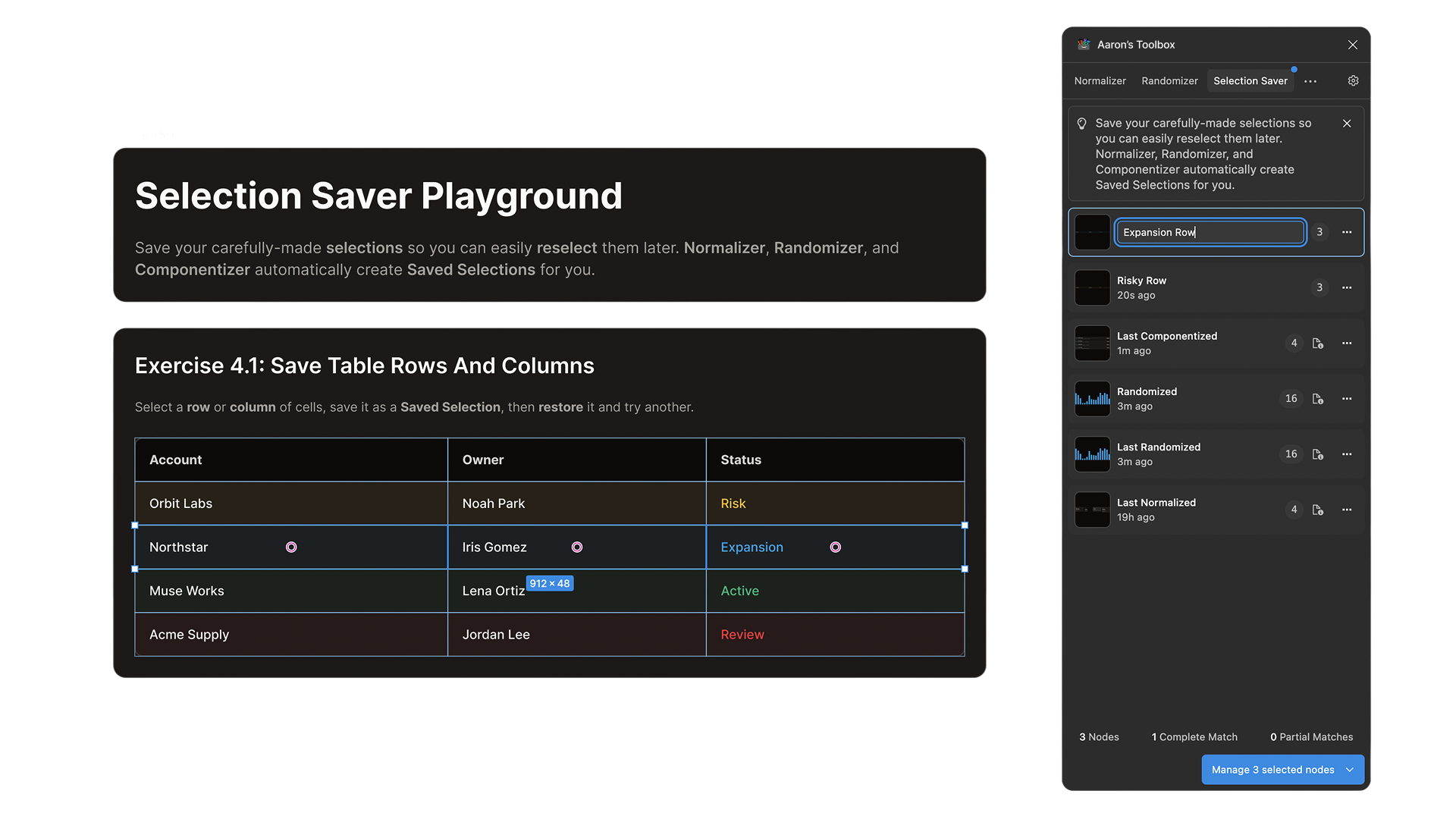
My first Figma plugins were simple replacements for features I'd missed from other apps: Selection Saver revived a feature I'd long missed from Adobe Illustrator. Property Randomizer exists because I was assigned a dashboard project and wanted my charts and data to look real enough that they wouldn't be distracting. I once needed to do a fancy regular expression replace operation in a giant Figma file but it wasn't supported at the time, so I built Find and Replace and it's still among my most popular plugins.

There are few things from which I derive more satisfaction than my Figma plugins. They were useful to me, sure, but knowing that so many others have been spared the same tedium I'd faced myself is just 👩‍🍳🤌 I think they're the best expression of what I'm all about.

Visit Project
Coming soon

SECTION 03

Aaron's Toolbox

I'm infatuated with Figma both as a user and as a developer building on their platform. I'm equally obsessed with the art and science of tool-building, so the match is cosmically perfect.

Aaron's Toolbox is a collection of utilities I've built to solve problems I repeatedly encounter in my own design work. Some automate repetitive tasks, others simplify common workflows, and two are actually evolutions of plugins I'd already built and refined over years of use (both with tens of thousands of users in the Figma Community).

My first Figma plugins were simple replacements for features I'd missed from other apps: Selection Saver revived a feature I'd long missed from Adobe Illustrator. Property Randomizer exists because I was assigned a dashboard project and wanted my charts and data to look real enough that they wouldn't be distracting. I once needed to do a fancy regular expression replace operation in a giant Figma file but it wasn't supported at the time, so I built Find and Replace and it's still among my most popular plugins.

There are few things from which I derive more satisfaction than my Figma plugins. They were useful to me, sure, but knowing that so many others have been spared the same tedium I'd faced myself is just 👩‍🍳🤌 I think they're the best expression of what I'm all about.

Visit Project
1 of 5: Aaron's Toolbox overview

SECTION 03

Aaron's Toolbox

I'm infatuated with Figma both as a user and as a developer building on their platform. I'm equally obsessed with the art and science of tool-building, so the match is cosmically perfect.

Aaron's Toolbox is a collection of utilities I've built to solve problems I repeatedly encounter in my own design work. Some automate repetitive tasks, others simplify common workflows, and two are actually evolutions of plugins I'd already built and refined over years of use (both with tens of thousands of users in the Figma Community).

My first Figma plugins were simple replacements for features I'd missed from other apps: Selection Saver revived a feature I'd long missed from Adobe Illustrator. Property Randomizer exists because I was assigned a dashboard project and wanted my charts and data to look real enough that they wouldn't be distracting. I once needed to do a fancy regular expression replace operation in a giant Figma file but it wasn't supported at the time, so I built Find and Replace and it's still among my most popular plugins.

There are few things from which I derive more satisfaction than my Figma plugins. They were useful to me, sure, but knowing that so many others have been spared the same tedium I'd faced myself is just 👩‍🍳🤌 I think they're the best expression of what I'm all about.

Visit Project
2 of 5: Normalizer

SECTION 03

Aaron's Toolbox

I'm infatuated with Figma both as a user and as a developer building on their platform. I'm equally obsessed with the art and science of tool-building, so the match is cosmically perfect.

Aaron's Toolbox is a collection of utilities I've built to solve problems I repeatedly encounter in my own design work. Some automate repetitive tasks, others simplify common workflows, and two are actually evolutions of plugins I'd already built and refined over years of use (both with tens of thousands of users in the Figma Community).

My first Figma plugins were simple replacements for features I'd missed from other apps: Selection Saver revived a feature I'd long missed from Adobe Illustrator. Property Randomizer exists because I was assigned a dashboard project and wanted my charts and data to look real enough that they wouldn't be distracting. I once needed to do a fancy regular expression replace operation in a giant Figma file but it wasn't supported at the time, so I built Find and Replace and it's still among my most popular plugins.

There are few things from which I derive more satisfaction than my Figma plugins. They were useful to me, sure, but knowing that so many others have been spared the same tedium I'd faced myself is just 👩‍🍳🤌 I think they're the best expression of what I'm all about.

Visit Project
3 of 5: Randomizer

SECTION 03

Aaron's Toolbox

I'm infatuated with Figma both as a user and as a developer building on their platform. I'm equally obsessed with the art and science of tool-building, so the match is cosmically perfect.

Aaron's Toolbox is a collection of utilities I've built to solve problems I repeatedly encounter in my own design work. Some automate repetitive tasks, others simplify common workflows, and two are actually evolutions of plugins I'd already built and refined over years of use (both with tens of thousands of users in the Figma Community).

My first Figma plugins were simple replacements for features I'd missed from other apps: Selection Saver revived a feature I'd long missed from Adobe Illustrator. Property Randomizer exists because I was assigned a dashboard project and wanted my charts and data to look real enough that they wouldn't be distracting. I once needed to do a fancy regular expression replace operation in a giant Figma file but it wasn't supported at the time, so I built Find and Replace and it's still among my most popular plugins.

There are few things from which I derive more satisfaction than my Figma plugins. They were useful to me, sure, but knowing that so many others have been spared the same tedium I'd faced myself is just 👩‍🍳🤌 I think they're the best expression of what I'm all about.

Visit Project
4 of 5: Componentizer

SECTION 03

Aaron's Toolbox

I'm infatuated with Figma both as a user and as a developer building on their platform. I'm equally obsessed with the art and science of tool-building, so the match is cosmically perfect.

Aaron's Toolbox is a collection of utilities I've built to solve problems I repeatedly encounter in my own design work. Some automate repetitive tasks, others simplify common workflows, and two are actually evolutions of plugins I'd already built and refined over years of use (both with tens of thousands of users in the Figma Community).

My first Figma plugins were simple replacements for features I'd missed from other apps: Selection Saver revived a feature I'd long missed from Adobe Illustrator. Property Randomizer exists because I was assigned a dashboard project and wanted my charts and data to look real enough that they wouldn't be distracting. I once needed to do a fancy regular expression replace operation in a giant Figma file but it wasn't supported at the time, so I built Find and Replace and it's still among my most popular plugins.

There are few things from which I derive more satisfaction than my Figma plugins. They were useful to me, sure, but knowing that so many others have been spared the same tedium I'd faced myself is just 👩‍🍳🤌 I think they're the best expression of what I'm all about.

Visit Project
5 of 5: Selection Saver

SECTION 04

Next­Phrase

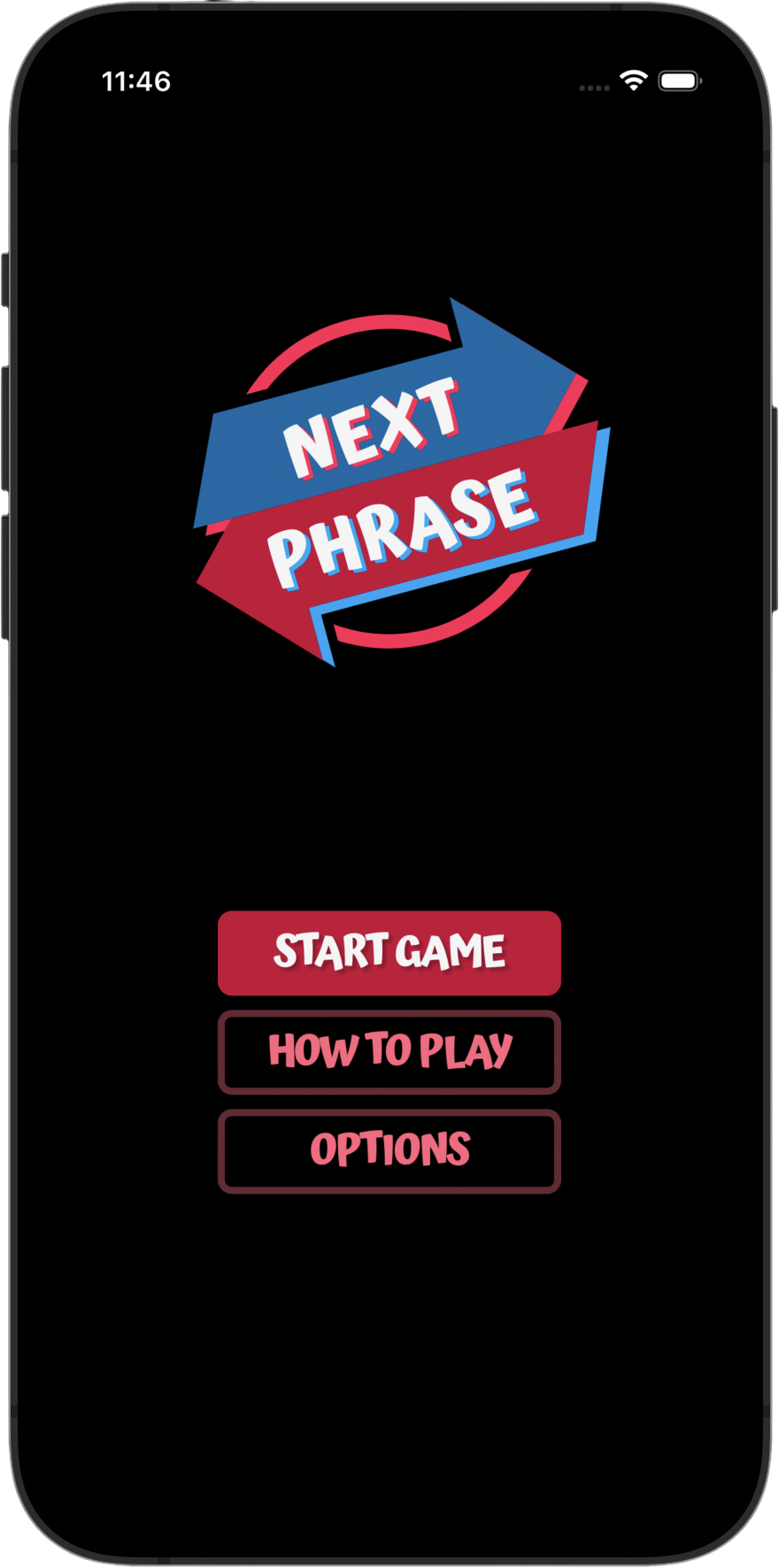
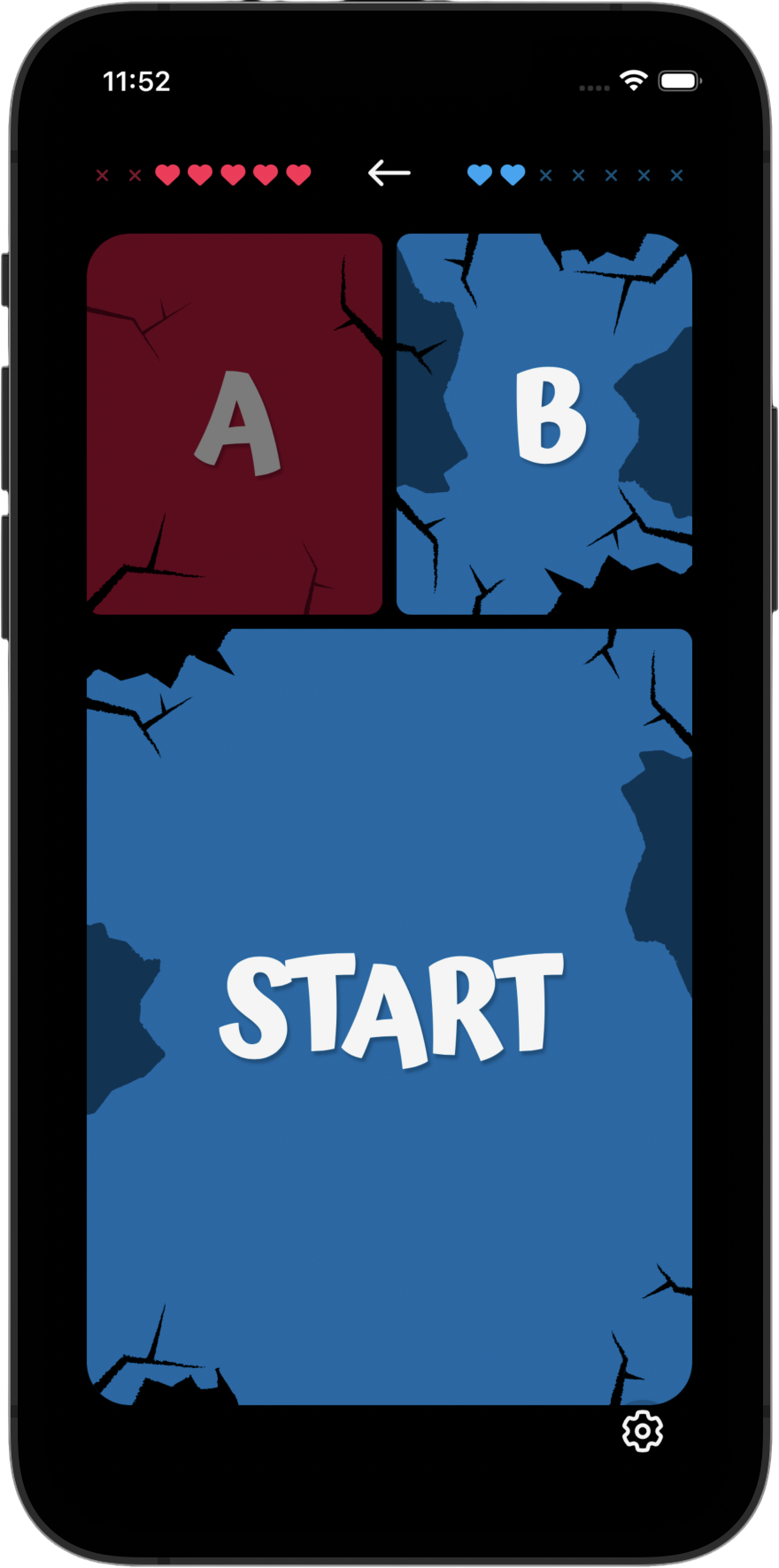
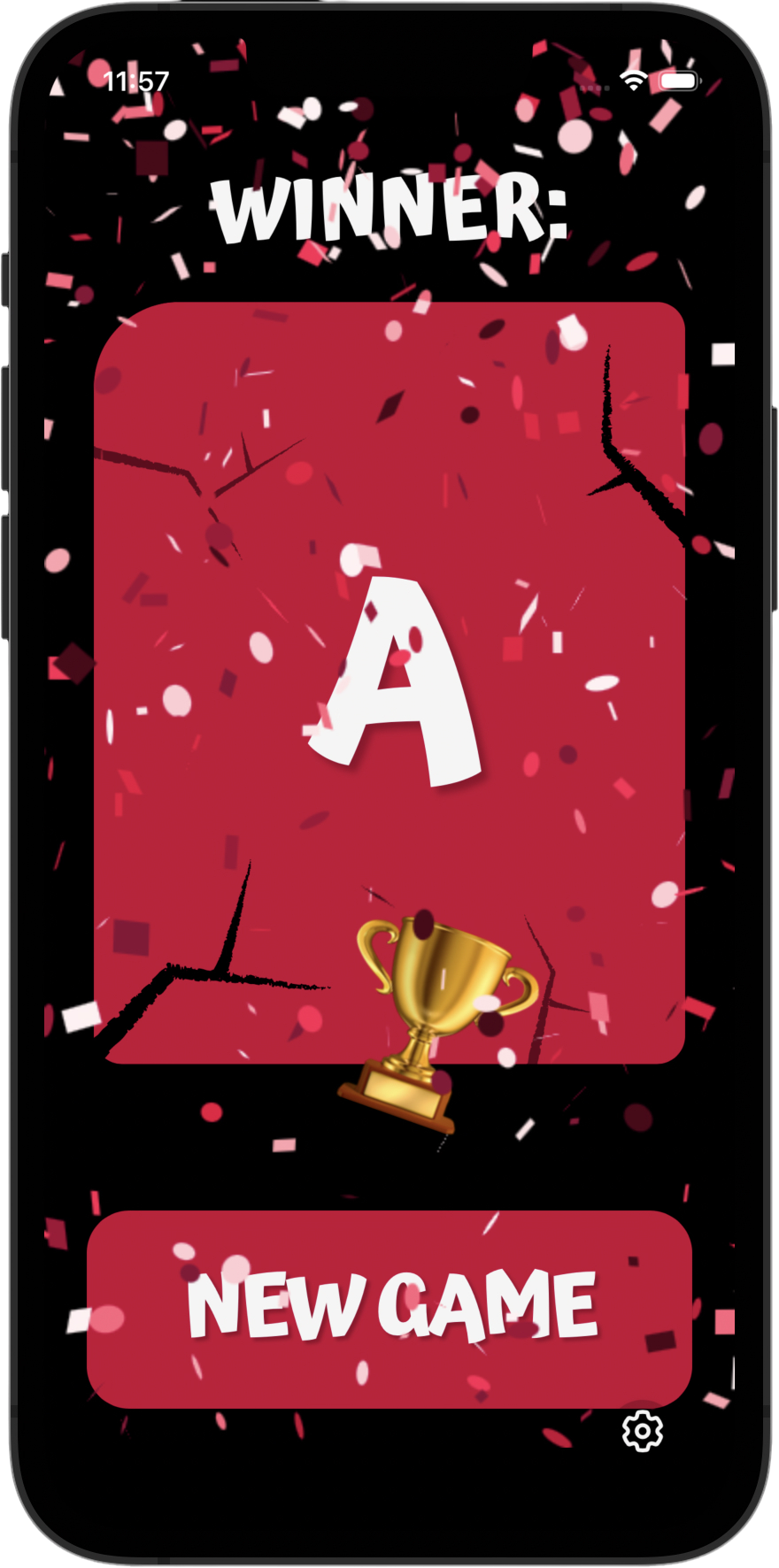
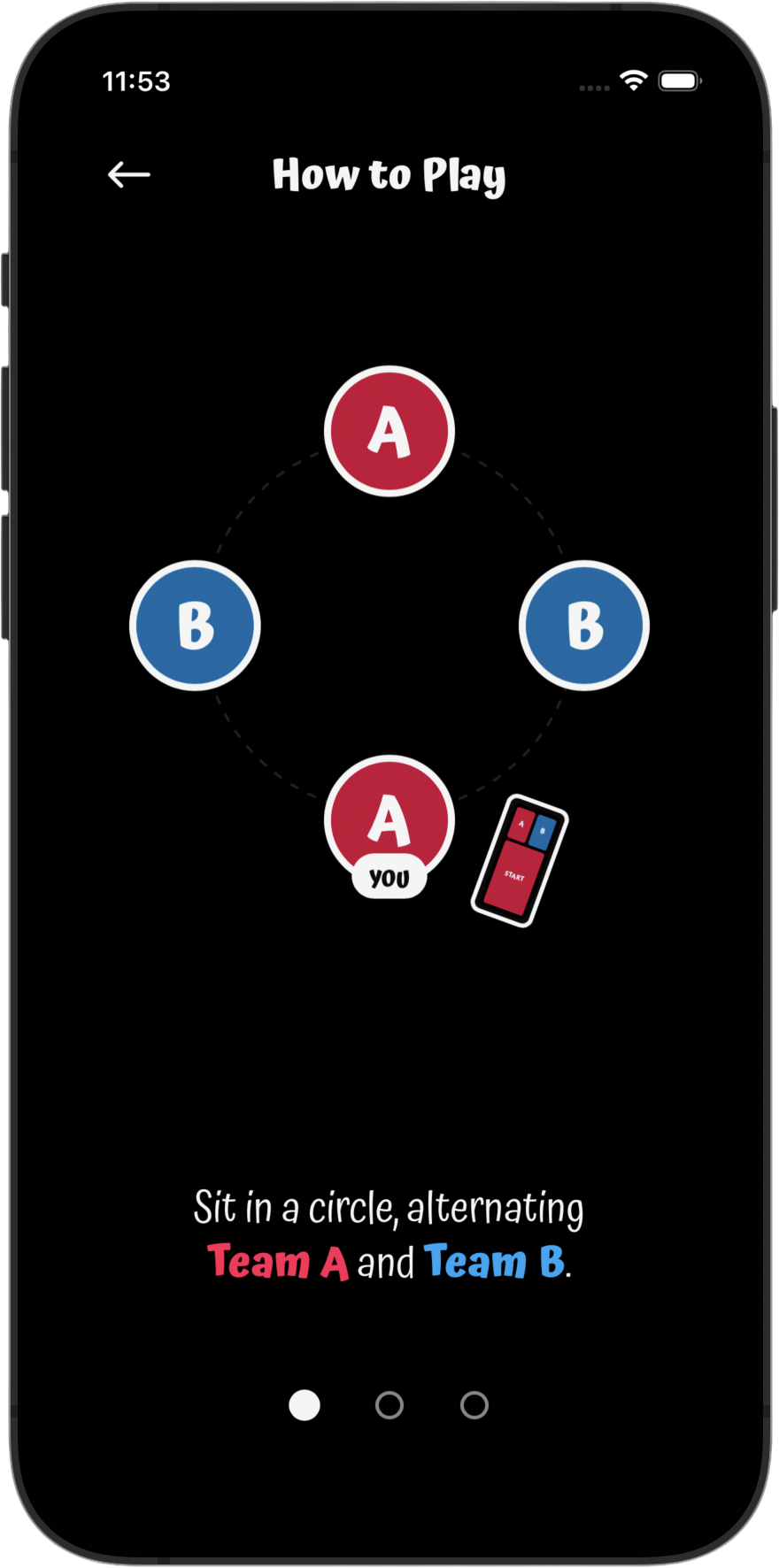
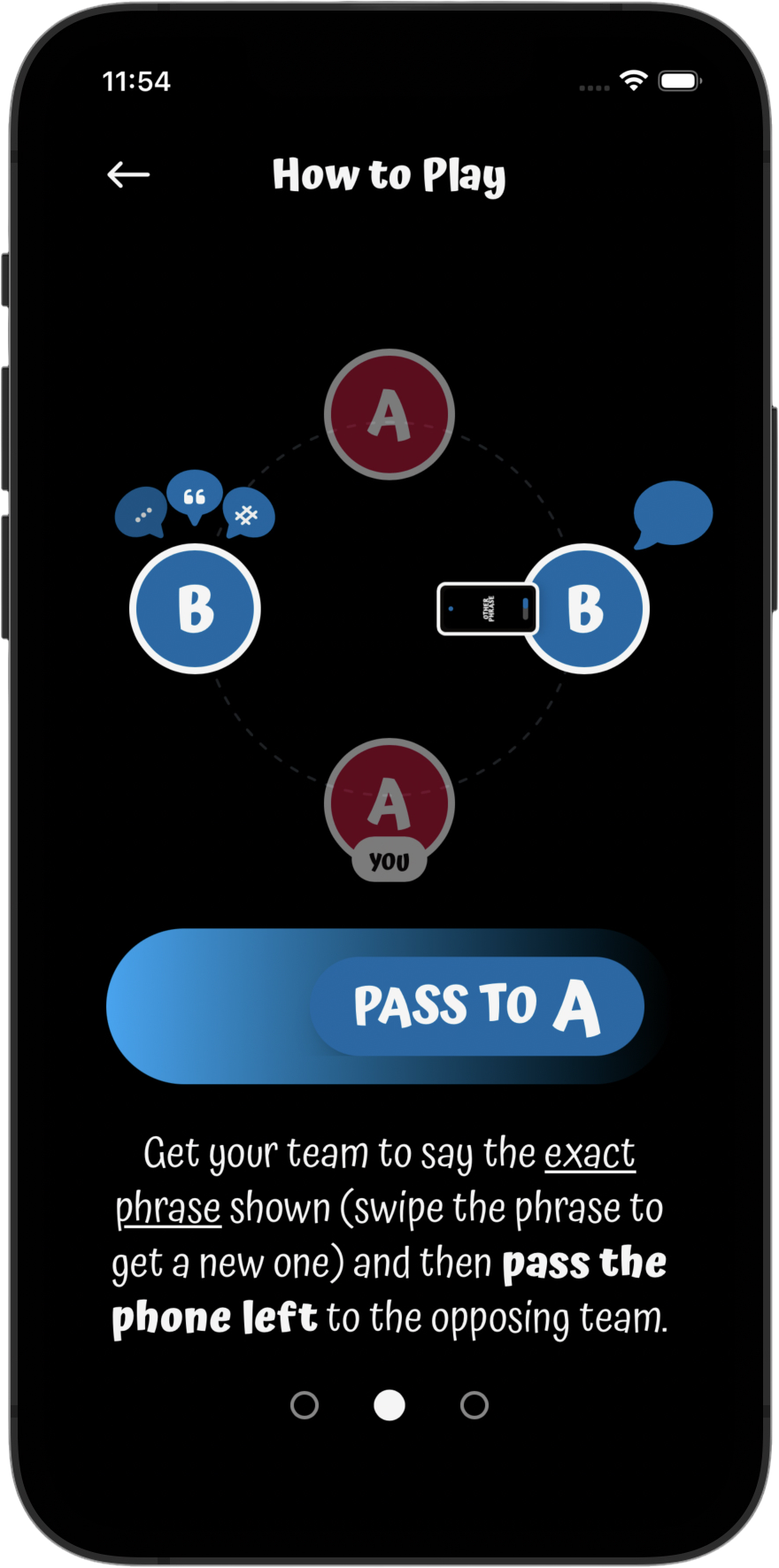
Some of you may recognize the concept (it's Catch Phrase by Hasbro) but I've put my own twists on it, of course.

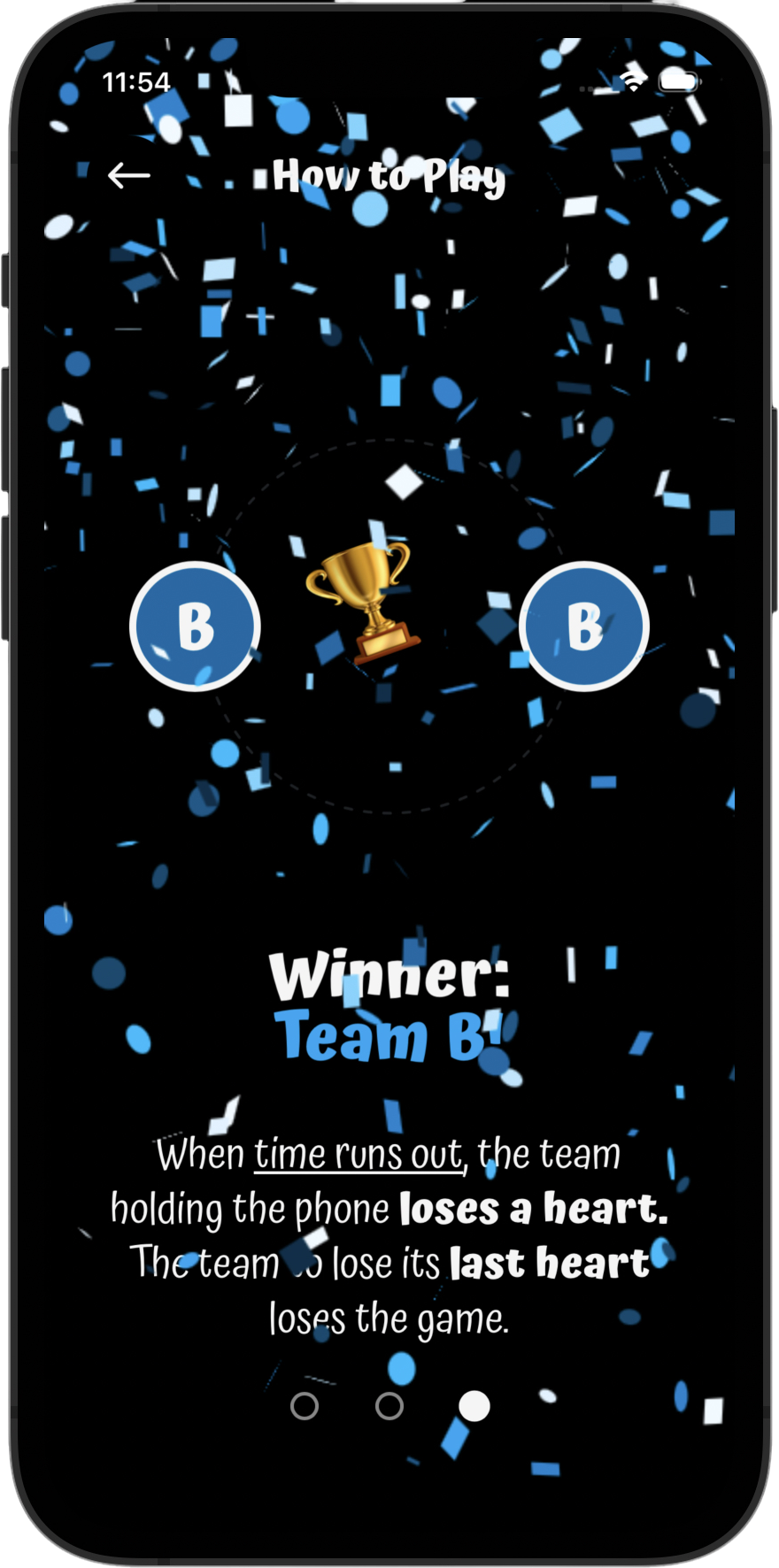
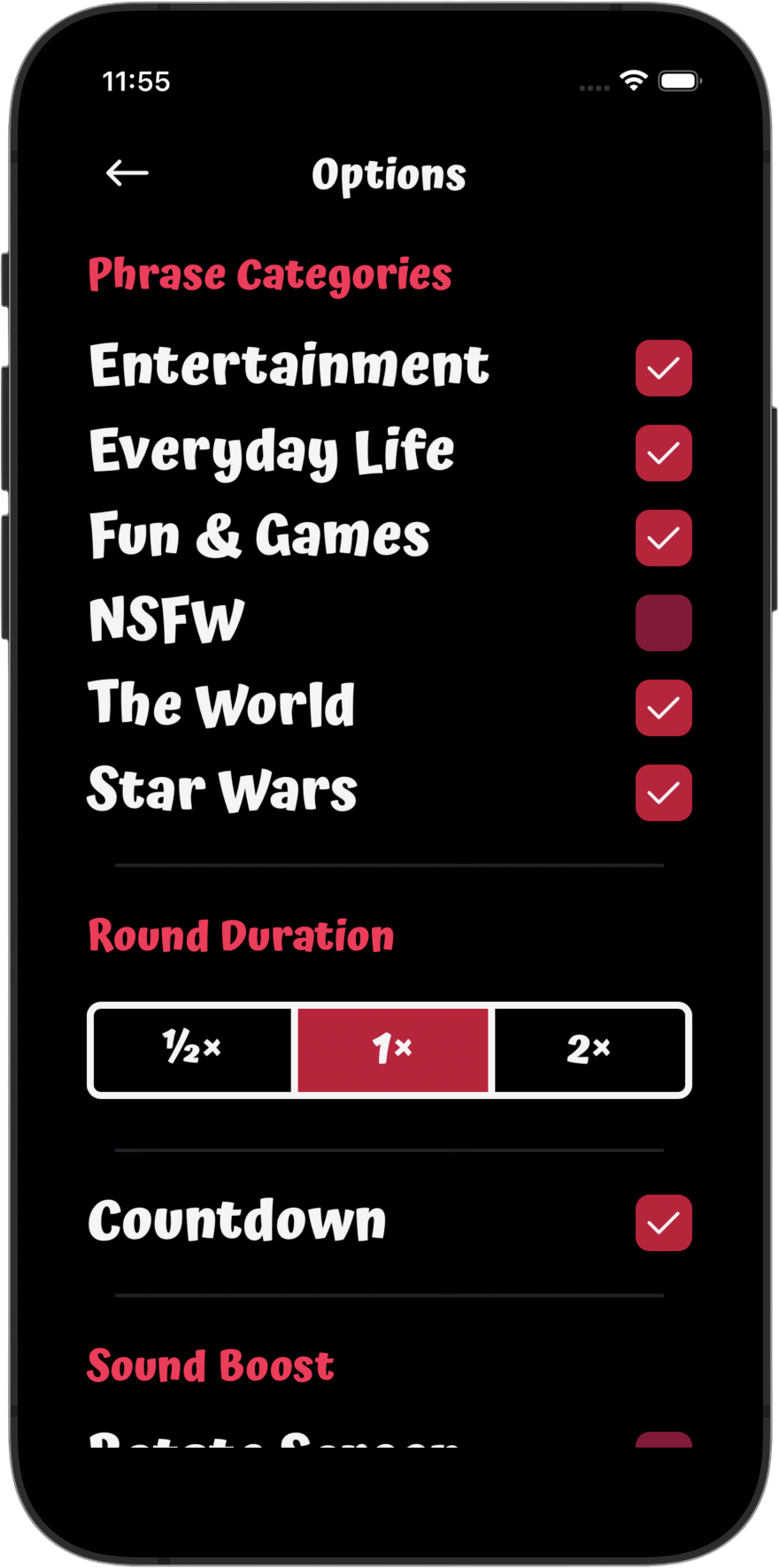
My original motivation for making the game was two-fold: first, I kept finding myself at parties with friends wanting to play Catch Phrase, but nobody had it. If only I had it on my phone... Secondly, I wanted to try my hand at React Native.

I've built this game at least five times now. I've built it with different themes, different mechanics, and on different technologies. Now it's just a simple PWA because it's the most accessible: just visit NextPhrase.app and add it to your home screen for the best experience.

I've learned a LOT building this game over and over, including the architectural challenges of building a game where pretty much everything is animated, despite running on a wee computer without 16GB of memory to lean on. Give it a shot at your next party!

Visit Project
Coming soon

SECTION 04

Next­Phrase

Some of you may recognize the concept (it's Catch Phrase by Hasbro) but I've put my own twists on it, of course.

My original motivation for making the game was two-fold: first, I kept finding myself at parties with friends wanting to play Catch Phrase, but nobody had it. If only I had it on my phone... Secondly, I wanted to try my hand at React Native.

I've built this game at least five times now. I've built it with different themes, different mechanics, and on different technologies. Now it's just a simple PWA because it's the most accessible: just visit NextPhrase.app and add it to your home screen for the best experience.

I've learned a LOT building this game over and over, including the architectural challenges of building a game where pretty much everything is animated, despite running on a wee computer without 16GB of memory to lean on. Give it a shot at your next party!

Visit Project

SECTION 04

Next­Phrase

Some of you may recognize the concept (it's Catch Phrase by Hasbro) but I've put my own twists on it, of course.

My original motivation for making the game was two-fold: first, I kept finding myself at parties with friends wanting to play Catch Phrase, but nobody had it. If only I had it on my phone... Secondly, I wanted to try my hand at React Native.

I've built this game at least five times now. I've built it with different themes, different mechanics, and on different technologies. Now it's just a simple PWA because it's the most accessible: just visit NextPhrase.app and add it to your home screen for the best experience.

I've learned a LOT building this game over and over, including the architectural challenges of building a game where pretty much everything is animated, despite running on a wee computer without 16GB of memory to lean on. Give it a shot at your next party!

Visit Project
2 of 10: NextPhrase home screen

SECTION 04

Next­Phrase

Some of you may recognize the concept (it's Catch Phrase by Hasbro) but I've put my own twists on it, of course.

My original motivation for making the game was two-fold: first, I kept finding myself at parties with friends wanting to play Catch Phrase, but nobody had it. If only I had it on my phone... Secondly, I wanted to try my hand at React Native.

I've built this game at least five times now. I've built it with different themes, different mechanics, and on different technologies. Now it's just a simple PWA because it's the most accessible: just visit NextPhrase.app and add it to your home screen for the best experience.

I've learned a LOT building this game over and over, including the architectural challenges of building a game where pretty much everything is animated, despite running on a wee computer without 16GB of memory to lean on. Give it a shot at your next party!

Visit Project
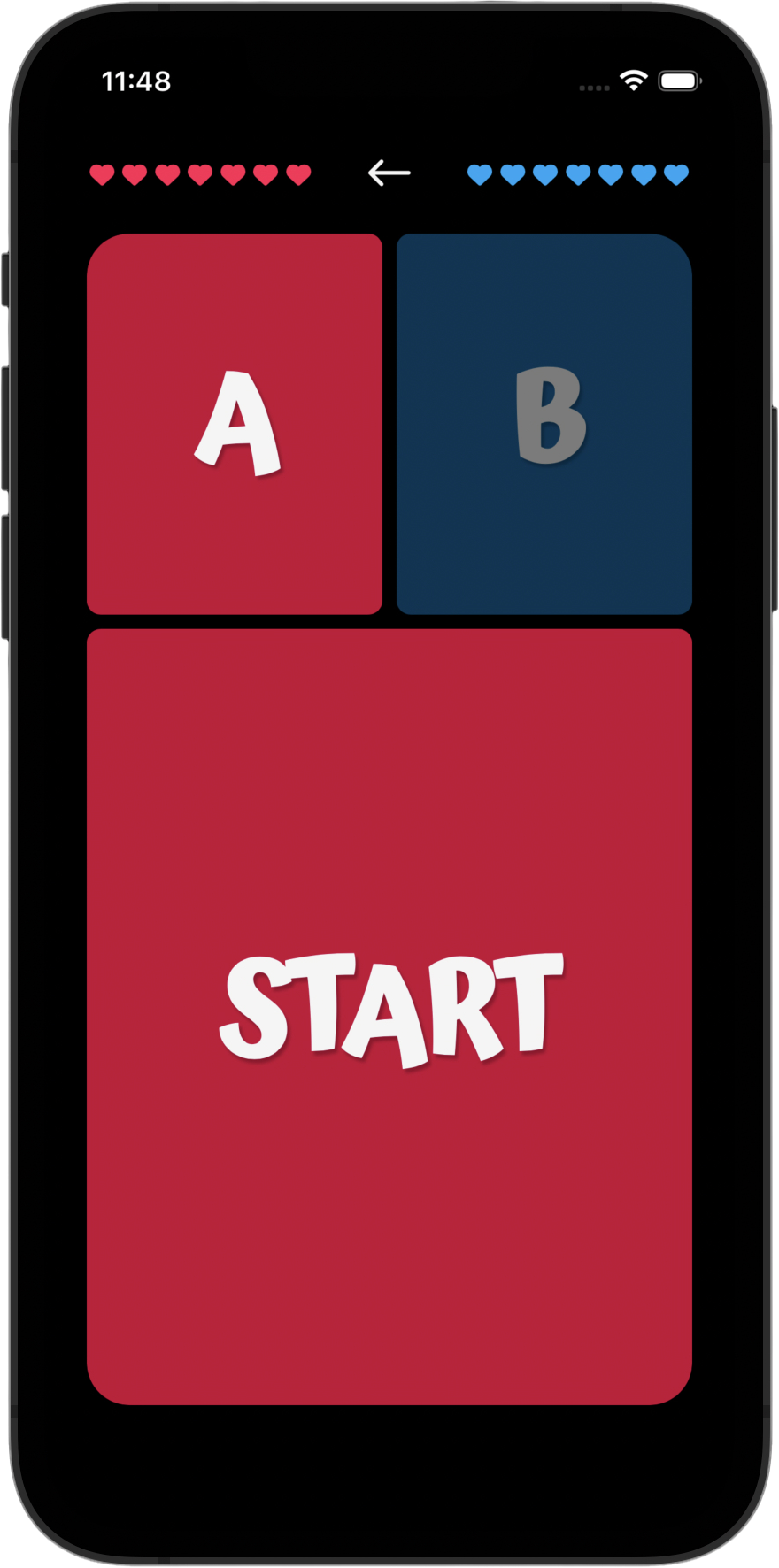
3 of 10: NextPhrase team scoreboard and round-start screen

SECTION 04

Next­Phrase

Some of you may recognize the concept (it's Catch Phrase by Hasbro) but I've put my own twists on it, of course.

My original motivation for making the game was two-fold: first, I kept finding myself at parties with friends wanting to play Catch Phrase, but nobody had it. If only I had it on my phone... Secondly, I wanted to try my hand at React Native.

I've built this game at least five times now. I've built it with different themes, different mechanics, and on different technologies. Now it's just a simple PWA because it's the most accessible: just visit NextPhrase.app and add it to your home screen for the best experience.

I've learned a LOT building this game over and over, including the architectural challenges of building a game where pretty much everything is animated, despite running on a wee computer without 16GB of memory to lean on. Give it a shot at your next party!

Visit Project
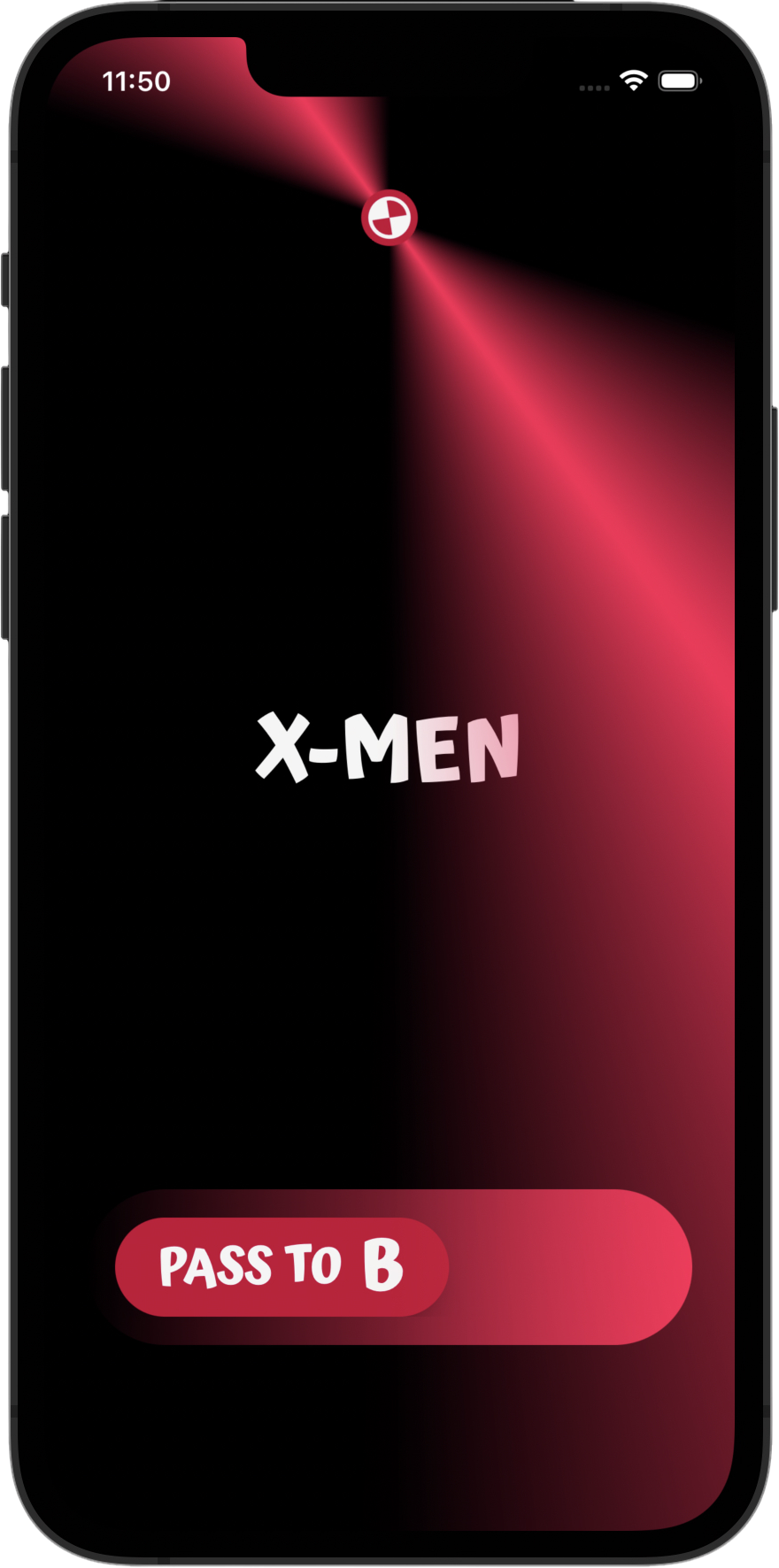
4 of 10: NextPhrase live round with a phrase and pass control

SECTION 04

Next­Phrase

Some of you may recognize the concept (it's Catch Phrase by Hasbro) but I've put my own twists on it, of course.

My original motivation for making the game was two-fold: first, I kept finding myself at parties with friends wanting to play Catch Phrase, but nobody had it. If only I had it on my phone... Secondly, I wanted to try my hand at React Native.

I've built this game at least five times now. I've built it with different themes, different mechanics, and on different technologies. Now it's just a simple PWA because it's the most accessible: just visit NextPhrase.app and add it to your home screen for the best experience.

I've learned a LOT building this game over and over, including the architectural challenges of building a game where pretty much everything is animated, despite running on a wee computer without 16GB of memory to lean on. Give it a shot at your next party!

Visit Project
5 of 10: NextPhrase team screen with both teams missing hearts

SECTION 04

Next­Phrase

Some of you may recognize the concept (it's Catch Phrase by Hasbro) but I've put my own twists on it, of course.

My original motivation for making the game was two-fold: first, I kept finding myself at parties with friends wanting to play Catch Phrase, but nobody had it. If only I had it on my phone... Secondly, I wanted to try my hand at React Native.

I've built this game at least five times now. I've built it with different themes, different mechanics, and on different technologies. Now it's just a simple PWA because it's the most accessible: just visit NextPhrase.app and add it to your home screen for the best experience.

I've learned a LOT building this game over and over, including the architectural challenges of building a game where pretty much everything is animated, despite running on a wee computer without 16GB of memory to lean on. Give it a shot at your next party!

Visit Project
6 of 10: NextPhrase winner screen for Team A

SECTION 04

Next­Phrase

Some of you may recognize the concept (it's Catch Phrase by Hasbro) but I've put my own twists on it, of course.

My original motivation for making the game was two-fold: first, I kept finding myself at parties with friends wanting to play Catch Phrase, but nobody had it. If only I had it on my phone... Secondly, I wanted to try my hand at React Native.

I've built this game at least five times now. I've built it with different themes, different mechanics, and on different technologies. Now it's just a simple PWA because it's the most accessible: just visit NextPhrase.app and add it to your home screen for the best experience.

I've learned a LOT building this game over and over, including the architectural challenges of building a game where pretty much everything is animated, despite running on a wee computer without 16GB of memory to lean on. Give it a shot at your next party!

Visit Project
7 of 10: NextPhrase how-to-play seating instructions

SECTION 04

Next­Phrase

Some of you may recognize the concept (it's Catch Phrase by Hasbro) but I've put my own twists on it, of course.

My original motivation for making the game was two-fold: first, I kept finding myself at parties with friends wanting to play Catch Phrase, but nobody had it. If only I had it on my phone... Secondly, I wanted to try my hand at React Native.

I've built this game at least five times now. I've built it with different themes, different mechanics, and on different technologies. Now it's just a simple PWA because it's the most accessible: just visit NextPhrase.app and add it to your home screen for the best experience.

I've learned a LOT building this game over and over, including the architectural challenges of building a game where pretty much everything is animated, despite running on a wee computer without 16GB of memory to lean on. Give it a shot at your next party!

Visit Project
8 of 10: NextPhrase how-to-play phrase-passing instructions

SECTION 04

Next­Phrase

Some of you may recognize the concept (it's Catch Phrase by Hasbro) but I've put my own twists on it, of course.

My original motivation for making the game was two-fold: first, I kept finding myself at parties with friends wanting to play Catch Phrase, but nobody had it. If only I had it on my phone... Secondly, I wanted to try my hand at React Native.

I've built this game at least five times now. I've built it with different themes, different mechanics, and on different technologies. Now it's just a simple PWA because it's the most accessible: just visit NextPhrase.app and add it to your home screen for the best experience.

I've learned a LOT building this game over and over, including the architectural challenges of building a game where pretty much everything is animated, despite running on a wee computer without 16GB of memory to lean on. Give it a shot at your next party!

Visit Project
9 of 10: NextPhrase how-to-play winning instructions

SECTION 04

Next­Phrase

Some of you may recognize the concept (it's Catch Phrase by Hasbro) but I've put my own twists on it, of course.

My original motivation for making the game was two-fold: first, I kept finding myself at parties with friends wanting to play Catch Phrase, but nobody had it. If only I had it on my phone... Secondly, I wanted to try my hand at React Native.

I've built this game at least five times now. I've built it with different themes, different mechanics, and on different technologies. Now it's just a simple PWA because it's the most accessible: just visit NextPhrase.app and add it to your home screen for the best experience.

I've learned a LOT building this game over and over, including the architectural challenges of building a game where pretty much everything is animated, despite running on a wee computer without 16GB of memory to lean on. Give it a shot at your next party!

Visit Project
10 of 10: NextPhrase options screen

SECTION 05

Mini Series Browser

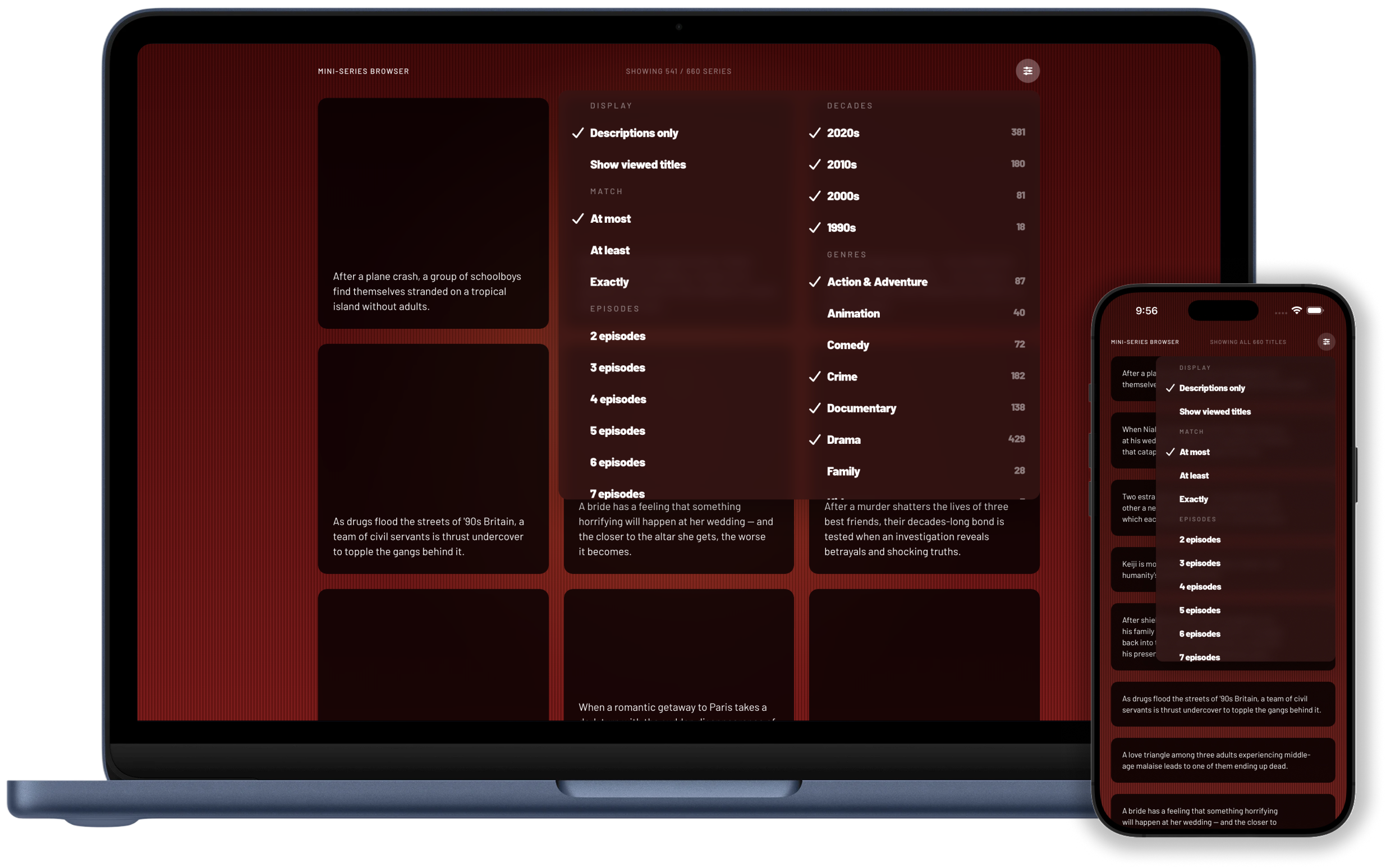
Deciding what to watch is harder and harder with all the options spread over all the providers. I've also grown a little resentful of "normal" television series failing to conclude either because they were cancelled, or because concluding would mean they couldn't make another season. This led me to narrow the pool substantially to limited series productions only: stories that are started with an ending in mind, told over an arc of 2 to 12 episodes.

The UI has evolved from a very scrappy list of titles to a much more functional tool usable by people other than myself. With over 600 titles to render, there was a lot of optimization work including list virtualization, image caching, and more.

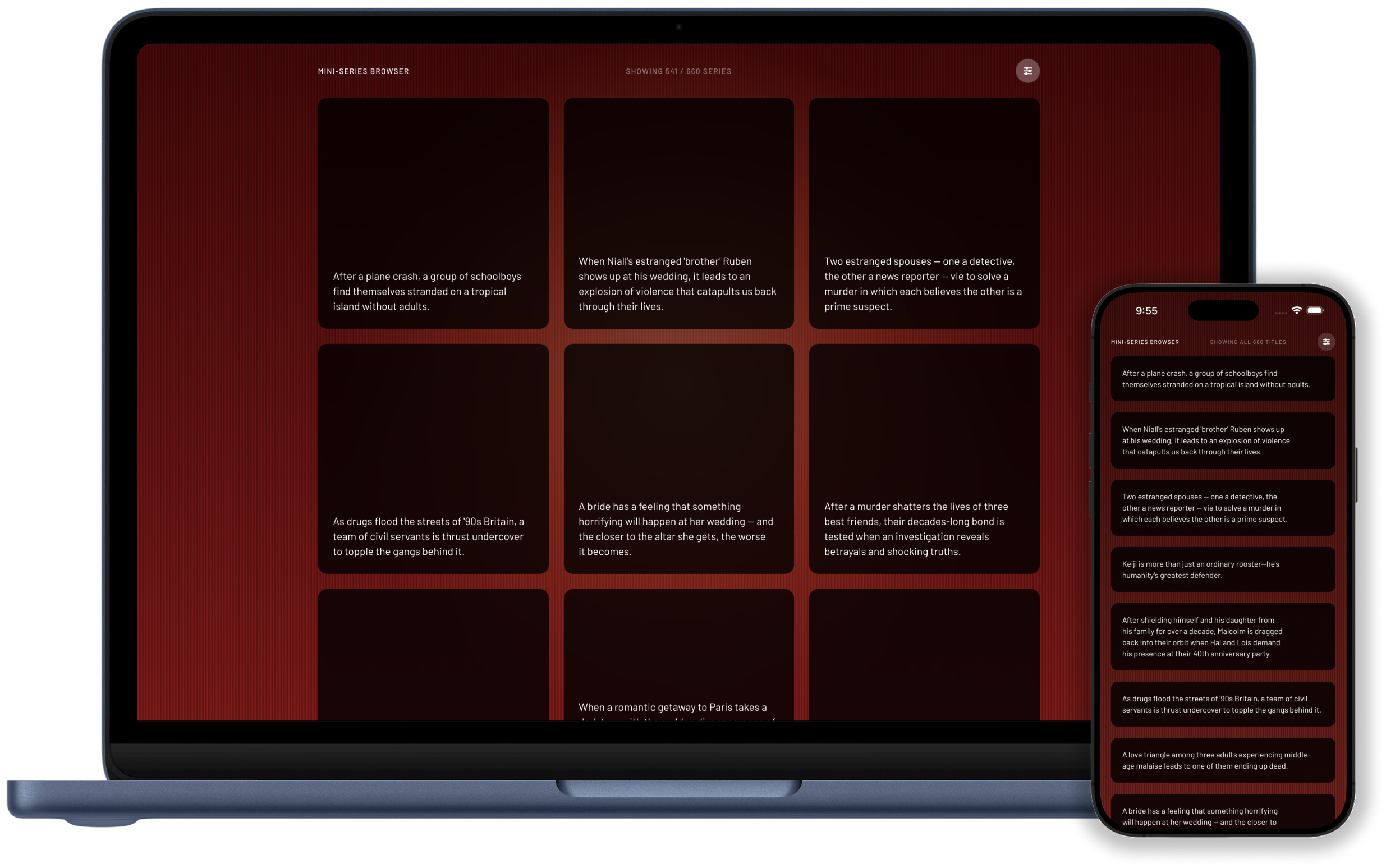
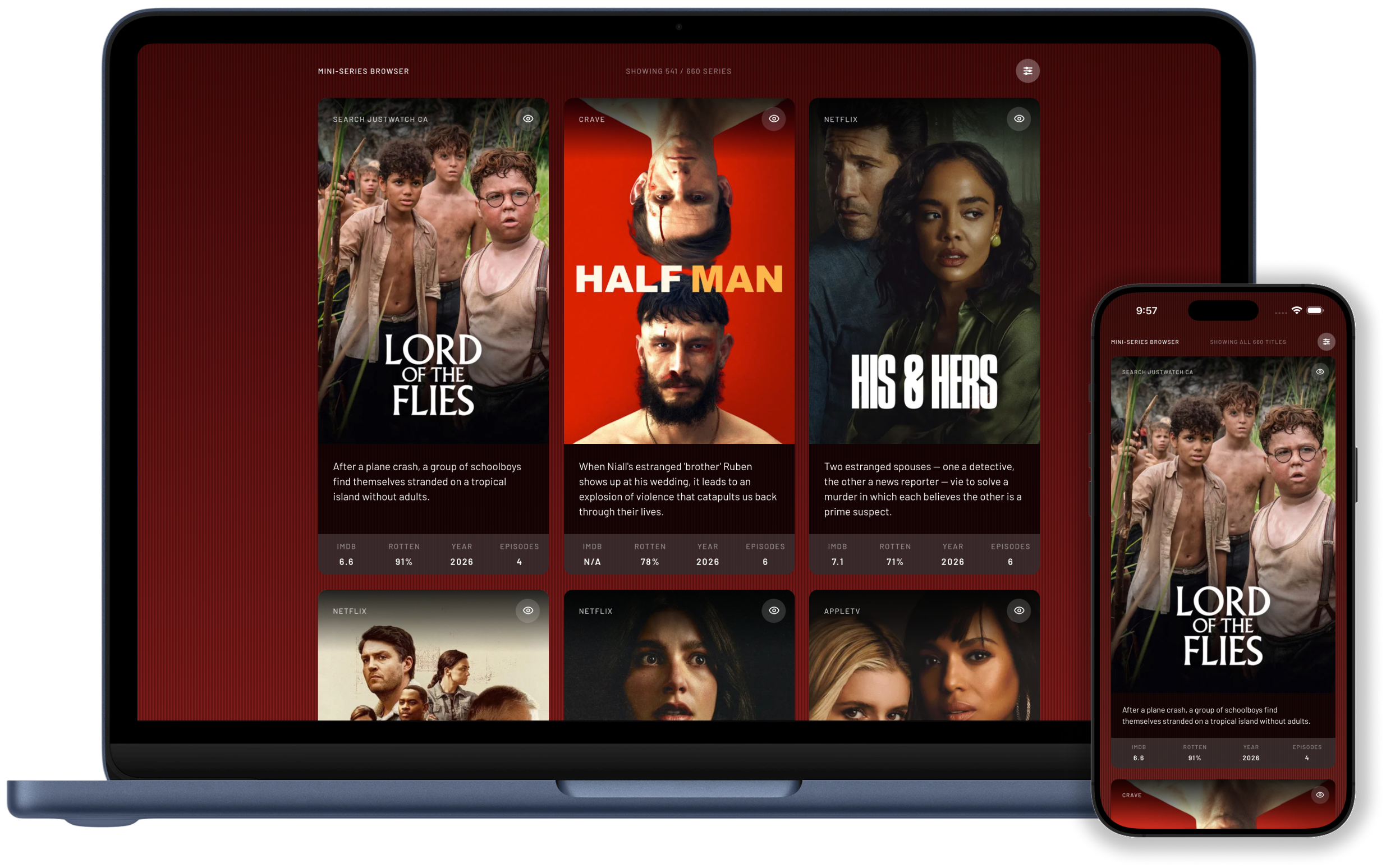
The most immediate "optimization" was free, and the reason I built it in the first place: by default, it only shows short descriptions of each title. No cover art. No ratings. No ways to watch. No distractions!

It's also got some fun details and bits of polish, especially on desktop: the spotlight follows your focus, the keyboard will move you around, into, and out of title cards, and even the direction in which cards open on screen is designed to prevent as much scrolling as possible, since it's easy to lose one's place in a sea of 600+ pretty similar-looking items.

It's still getting regular updates and polish as I find opportunities.

Visit Project
Coming soon

SECTION 05

Mini Series Browser

Deciding what to watch is harder and harder with all the options spread over all the providers. I've also grown a little resentful of "normal" television series failing to conclude either because they were cancelled, or because concluding would mean they couldn't make another season. This led me to narrow the pool substantially to limited series productions only: stories that are started with an ending in mind, told over an arc of 2 to 12 episodes.

The UI has evolved from a very scrappy list of titles to a much more functional tool usable by people other than myself. With over 600 titles to render, there was a lot of optimization work including list virtualization, image caching, and more.

The most immediate "optimization" was free, and the reason I built it in the first place: by default, it only shows short descriptions of each title. No cover art. No ratings. No ways to watch. No distractions!

It's also got some fun details and bits of polish, especially on desktop: the spotlight follows your focus, the keyboard will move you around, into, and out of title cards, and even the direction in which cards open on screen is designed to prevent as much scrolling as possible, since it's easy to lose one's place in a sea of 600+ pretty similar-looking items.

It's still getting regular updates and polish as I find opportunities.

Visit Project
1 of 4: Mini Series Browser descriptions-only view on desktop and mobile

SECTION 05

Mini Series Browser

Deciding what to watch is harder and harder with all the options spread over all the providers. I've also grown a little resentful of "normal" television series failing to conclude either because they were cancelled, or because concluding would mean they couldn't make another season. This led me to narrow the pool substantially to limited series productions only: stories that are started with an ending in mind, told over an arc of 2 to 12 episodes.

The UI has evolved from a very scrappy list of titles to a much more functional tool usable by people other than myself. With over 600 titles to render, there was a lot of optimization work including list virtualization, image caching, and more.

The most immediate "optimization" was free, and the reason I built it in the first place: by default, it only shows short descriptions of each title. No cover art. No ratings. No ways to watch. No distractions!

It's also got some fun details and bits of polish, especially on desktop: the spotlight follows your focus, the keyboard will move you around, into, and out of title cards, and even the direction in which cards open on screen is designed to prevent as much scrolling as possible, since it's easy to lose one's place in a sea of 600+ pretty similar-looking items.

It's still getting regular updates and polish as I find opportunities.

Visit Project
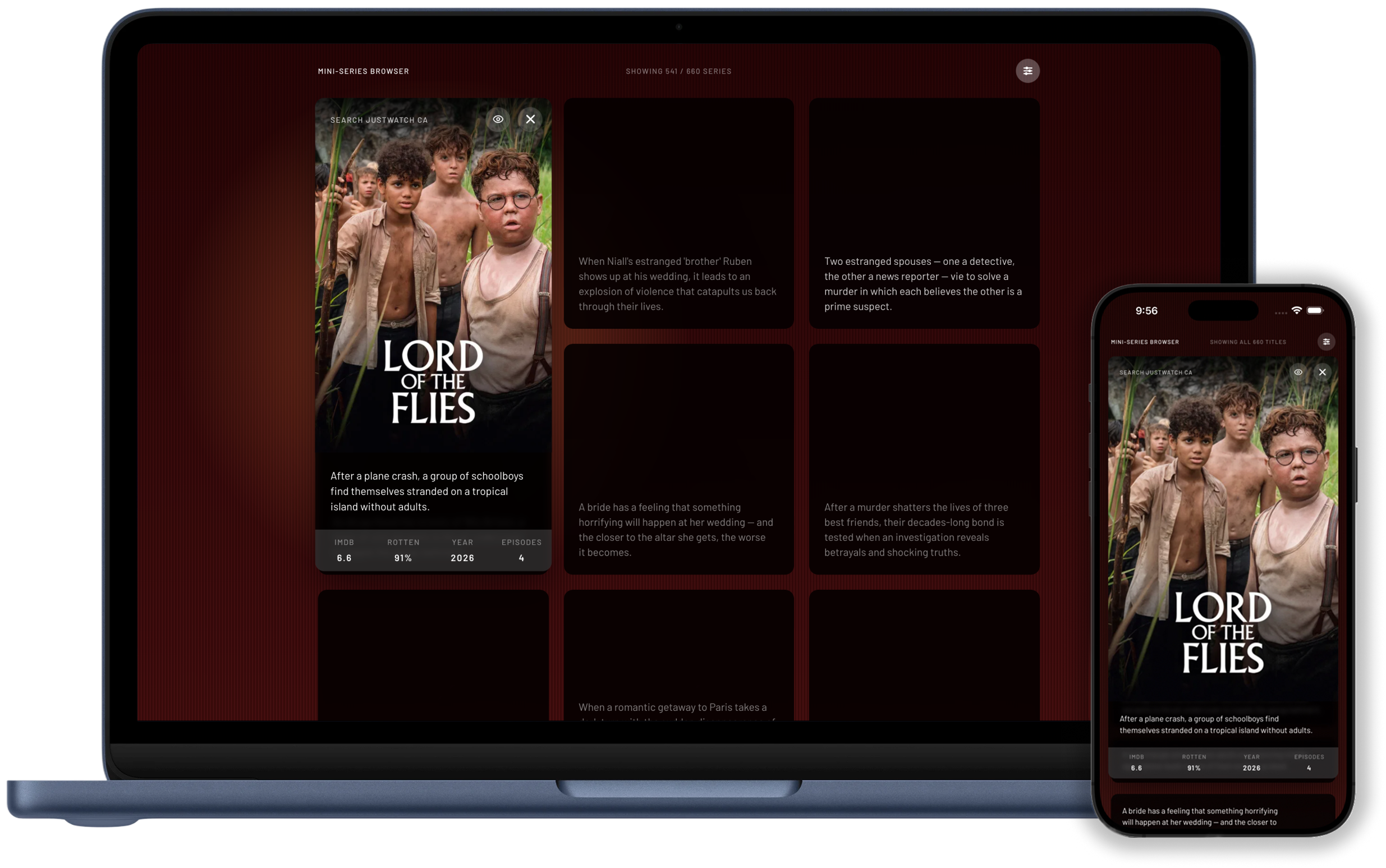
2 of 4: Mini Series Browser expanded card on desktop and mobile

SECTION 05

Mini Series Browser

Deciding what to watch is harder and harder with all the options spread over all the providers. I've also grown a little resentful of "normal" television series failing to conclude either because they were cancelled, or because concluding would mean they couldn't make another season. This led me to narrow the pool substantially to limited series productions only: stories that are started with an ending in mind, told over an arc of 2 to 12 episodes.

The UI has evolved from a very scrappy list of titles to a much more functional tool usable by people other than myself. With over 600 titles to render, there was a lot of optimization work including list virtualization, image caching, and more.

The most immediate "optimization" was free, and the reason I built it in the first place: by default, it only shows short descriptions of each title. No cover art. No ratings. No ways to watch. No distractions!

It's also got some fun details and bits of polish, especially on desktop: the spotlight follows your focus, the keyboard will move you around, into, and out of title cards, and even the direction in which cards open on screen is designed to prevent as much scrolling as possible, since it's easy to lose one's place in a sea of 600+ pretty similar-looking items.

It's still getting regular updates and polish as I find opportunities.

Visit Project
3 of 4: Mini Series Browser filters on desktop and mobile

SECTION 05

Mini Series Browser

Deciding what to watch is harder and harder with all the options spread over all the providers. I've also grown a little resentful of "normal" television series failing to conclude either because they were cancelled, or because concluding would mean they couldn't make another season. This led me to narrow the pool substantially to limited series productions only: stories that are started with an ending in mind, told over an arc of 2 to 12 episodes.

The UI has evolved from a very scrappy list of titles to a much more functional tool usable by people other than myself. With over 600 titles to render, there was a lot of optimization work including list virtualization, image caching, and more.

The most immediate "optimization" was free, and the reason I built it in the first place: by default, it only shows short descriptions of each title. No cover art. No ratings. No ways to watch. No distractions!

It's also got some fun details and bits of polish, especially on desktop: the spotlight follows your focus, the keyboard will move you around, into, and out of title cards, and even the direction in which cards open on screen is designed to prevent as much scrolling as possible, since it's easy to lose one's place in a sea of 600+ pretty similar-looking items.

It's still getting regular updates and polish as I find opportunities.

Visit Project
4 of 4: Mini Series Browser poster cards on desktop and mobile
Use , or 1,2, ... 0 to navigate sections

Portfolio media didn't finish loading.